Ankon AI - ToolaGator
Menu Close
Ankon AI
☆☆☆☆☆

Ankon AI

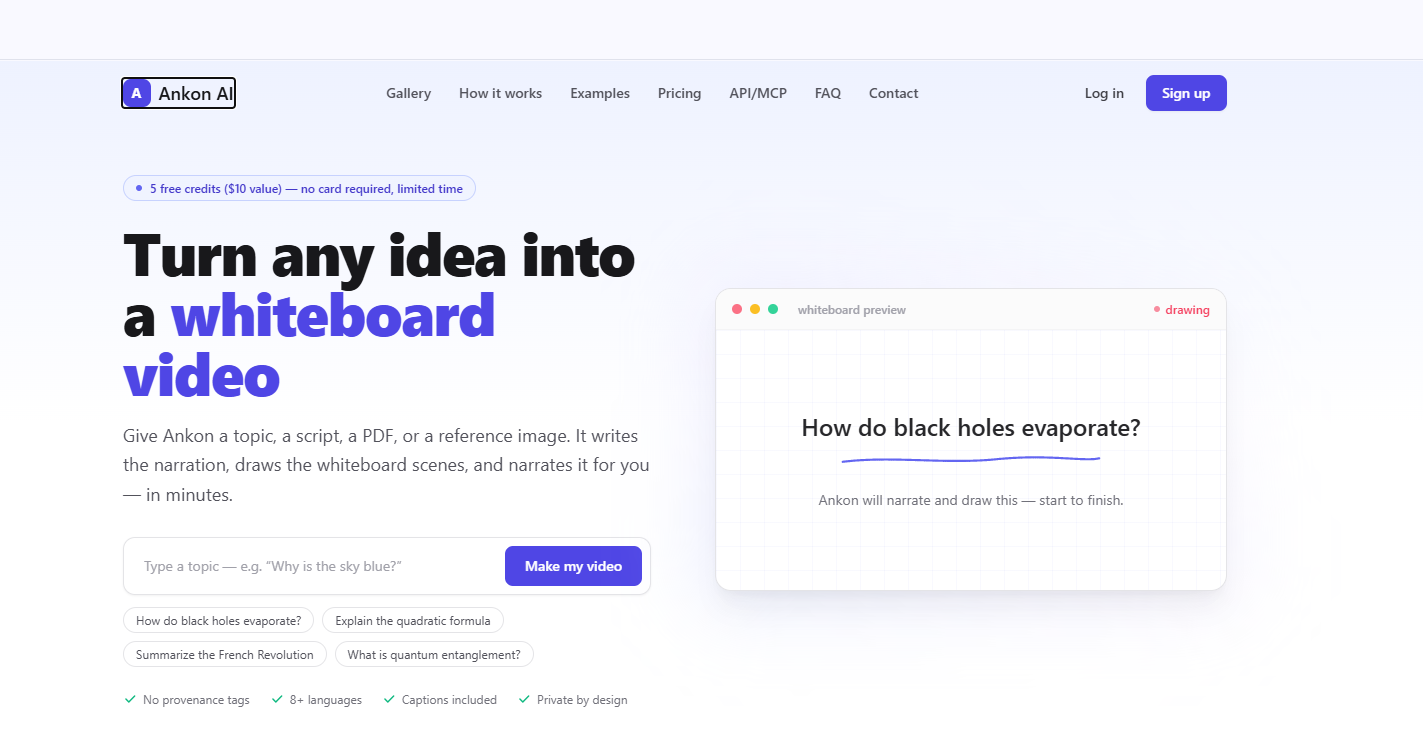
Ankon AI turns topics, scripts, PDFs, and reference images into narrated whiteboard explainer videos with synchronized drawings, captions, and voiceovers.

Last Update: 2025-07-28

What is Ankon AI

Ankon AI is an AI-powered whiteboard explainer video generator that turns a topic, written script, PDF, paper, or reference image into a narrated whiteboard-style video. Instead of requiring users to write a script, draw scenes, record narration, and edit the video manually, Ankon AI automates these steps in one workflow. It creates the narration, generates whiteboard scenes, synchronizes the drawings with the voiceover, and produces a finished video with captions.

The platform is designed around an ink-reveal animation style, where illustrations appear progressively on the whiteboard in sync with the narration. This makes it suitable for explaining educational concepts, business ideas, product features, tutorials, articles, and other information-heavy topics. Users can start with a simple idea or provide source material such as a PDF or image for the video to explain.


Ankon AI also supports multiple languages, voice cloning, landscape and vertical video formats, subtitles, thumbnails, and publishing metadata. It provides downloads in MP4 along with SRT subtitles and automatically generated titles, descriptions, and chapter timestamps. Developers and teams can also use its REST API, MCP integration, and team workspaces on eligible plans. 
Key features of Ankon AI

  • AI Whiteboard Video Generation - Creates complete whiteboard explainer videos from a topic, script, PDF, paper, or reference image without requiring traditional video production software.
  • Topic-to-Video Creation - Users can enter a simple topic or question, and Ankon AI generates the narration and visual scenes around the subject.
  • Script-to-Whiteboard Video - Existing scripts can be converted into narrated whiteboard videos, allowing creators to reuse content they have already written.
  • PDF and Document-Based Video Creation - Users can upload PDFs or papers as source material, allowing the generated explainer to be based on the supplied content rather than starting from a blank page.
  • Reference Image Input - A reference image can be provided to give the AI additional context when creating the video's narration and visual scenes.
  • AI Narration Generation - Ankon AI automatically creates narration based on the provided topic or source material, reducing the need for manual scriptwriting and voice recording.
  • Ink-Reveal Whiteboard Animation - The platform draws illustrations progressively, line by line, while the narration plays, creating a hand-drawn whiteboard presentation style.
  • Synchronized Visuals and Voiceover - Whiteboard scenes, narration, and captions are generated to work together so that the visual explanation follows the spoken content.
  • AI Voiceovers - Provides male and female AI voices for narrating generated videos across supported languages.
  • Voice Cloning - Users can record a short sample of their voice and use the cloned voice for narration. Ankon AI states that the cloned voice can narrate supported languages, with the option to add native recordings for individual languages.
  • Multilingual Video Creation - Supports 13 languages, including English, Spanish, French, Hindi, Italian, Japanese, Chinese, Portuguese, German, Arabic, Korean, and Dutch.
  • Automatic Captions - Generates word-by-word captions that can be burned directly into the video, helping make the content accessible and easier to watch without sound.
  • SRT Subtitle Export - Provides an SRT subtitle file alongside the finished video for use on video platforms that support external subtitle uploads.
  • Landscape and Vertical Formats - Supports video formats suitable for platforms such as YouTube, presentations, TikTok, Instagram Reels, and YouTube Shorts.
  • Automatic Script Fact-Checking - Paid plans include fact-checked scripts, adding an additional verification step to AI-generated narration.
  • Automatic Video Metadata - Generates a title, description, and chapter timestamps along with the video, helping creators prepare content for publishing.
  • Thumbnail Generation/Download - Provides a downloadable thumbnail as part of the video creation workflow.
  • Enhance Mode - Adds additional whiteboard scenes and illustrations to make the visual presentation more detailed without changing the narration.
  • Custom Branding - Paid plans include options such as custom logos, allowing businesses and creators to add their branding to generated content.
  • No Watermark on Paid Plans - Paid subscriptions include videos without a watermark.
  • Community Gallery - Users can browse whiteboard explainers created by other Ankon AI users, with videos searchable by topic and language.
  • Team Workspaces - Teams can share a credit pool and manage access through owner, admin, and member roles.
  • REST API - Developers can create video-generation workflows programmatically through Ankon AI's REST API.
  • MCP Integration - Ankon AI provides MCP support for integrating whiteboard video generation into compatible AI development and workflow environments.
  • Claude Integration - Users can generate narrated whiteboard videos directly through Claude using an OAuth-based connection without manually managing an API key.


  • Credit-Based Video Generation - Ankon AI uses a credit system where approximately one credit represents one minute of finished video, with failed renders automatically refunded according to the platform's stated pricing model. 

Pricing

Starting at

$23.00

/ month

F.A.Q (5)

Ankon AI can create videos from a topic, written script, PDF, research paper, or reference image. Uploaded sources can be used as the basis for the video, while Ankon generates the narration from the provided material. This helps users create explainers without having to start from a blank page.

The generation time depends on the length of the video. A 1-minute Short typically takes around 1–3 minutes, while a 10-minute long-form video may take approximately 5–15 minutes. Ankon sends an email notification when the completed video is ready.

Ankon AI supports 8 or more languages, with both male and female voice options available. Users can select their preferred language when creating a video, and the narration and captions are generated in the chosen language.

Yes. Users can create a voice clone by recording a 10-second sample. The cloned voice can currently be used for English narration. Ankon stores the recording on its servers with the user's consent, and the recording can be deleted at any time. For voice-cloned narration, the recording is sent to a third-party voice-synthesis provider for processing. Ankon also verifies the recording before allowing it to be used.

Ankon AI focuses on automatically creating narrated and captioned whiteboard-style explainer videos from topics, scripts, PDFs, or reference images, without requiring manual authoring. Doodly and VideoScribe provide more hands-on, frame-by-frame control, while Synthesia and similar platforms focus on AI avatar videos. Tools such as Pictory and InVideo primarily use stock footage and automated video creation workflows.

Reviews

You must be logged in to submit a review.

No reviews yet. Be the first to review!

Quick actions
Visit Tool